 Treeix
Your agents branch out.
You review in one place.
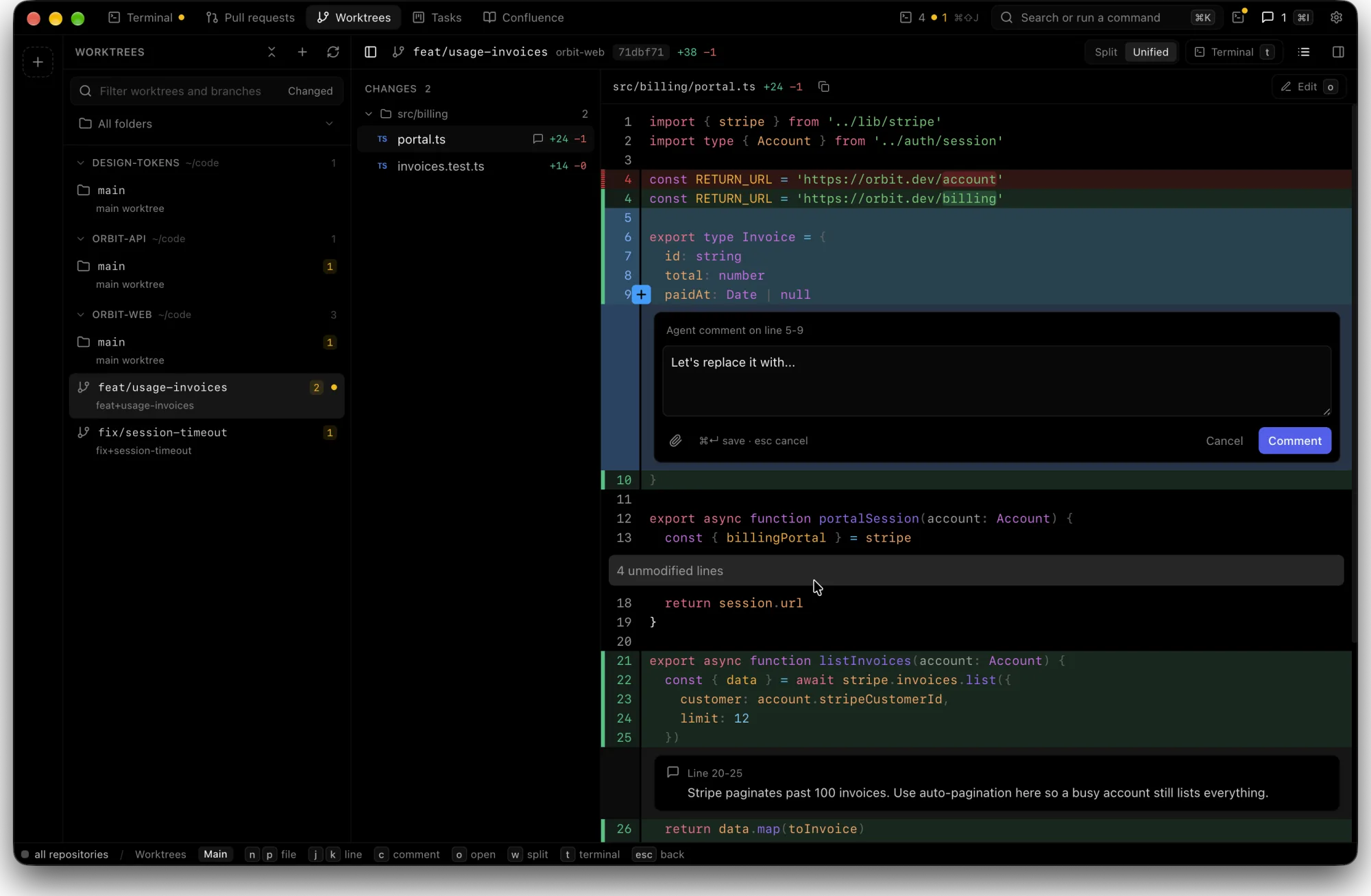
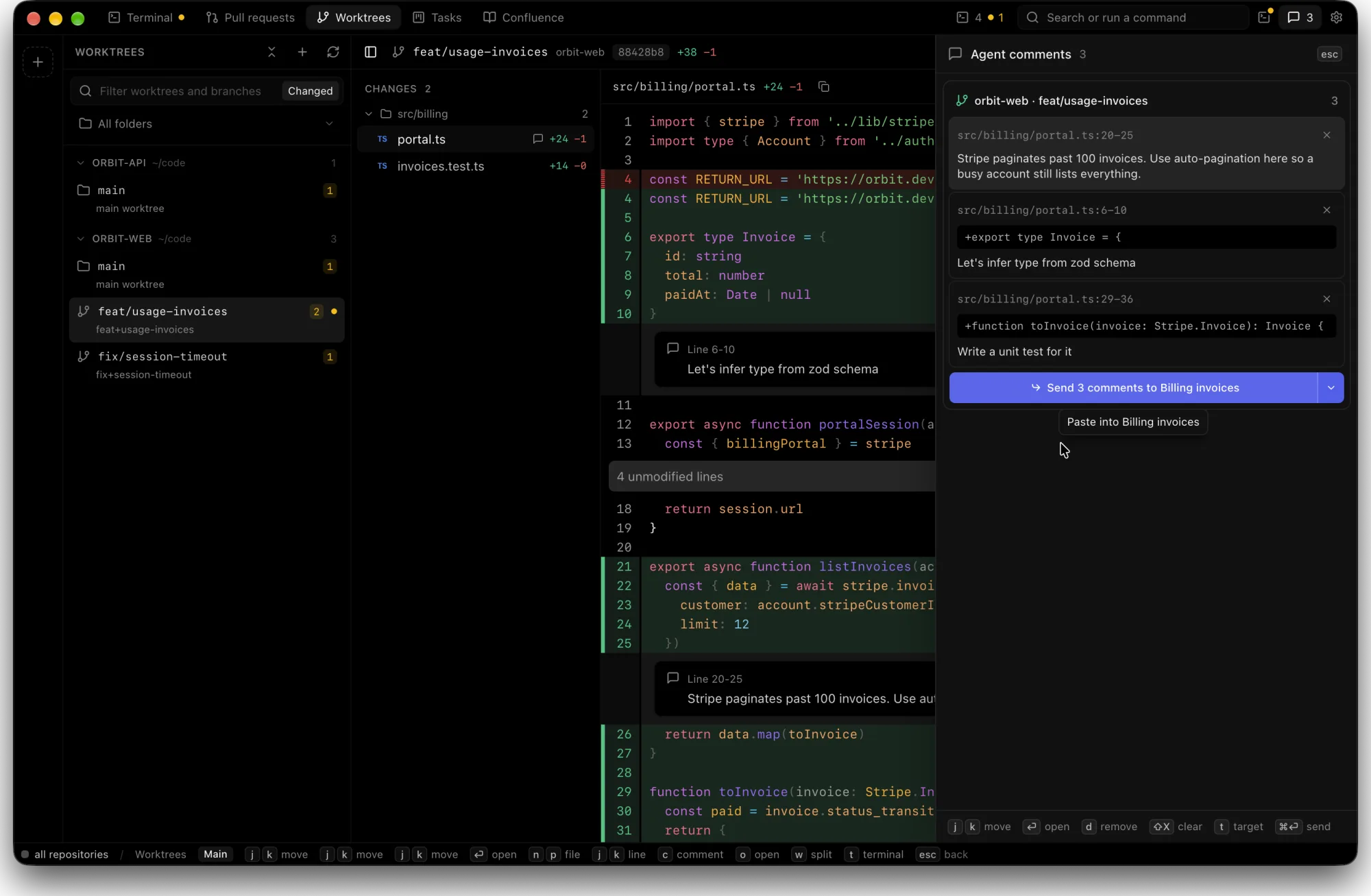
Treeix finds every git worktree on your Mac, shows what each Claude Code or Codex session changed, and sends your line comments back as the next prompt.
Download for macOS
Free. Apple silicon, macOS 14 or later.
Works with the tools you already use
- Claude Code
- Codex
- git worktrees
- GitHub
- GitLab
Review, comment, send. The agent picks it up.
- Pick a worktreeEvery repo and worktree under your home folder, with a count of changed files.
- Drag across linesLeave a note on exactly the code that needs another pass.
- Send to the sessionComments go to the Claude Code or Codex session running in that worktree.
Same work, without the tab hunt
| Before | With Treeix | |
|---|---|---|
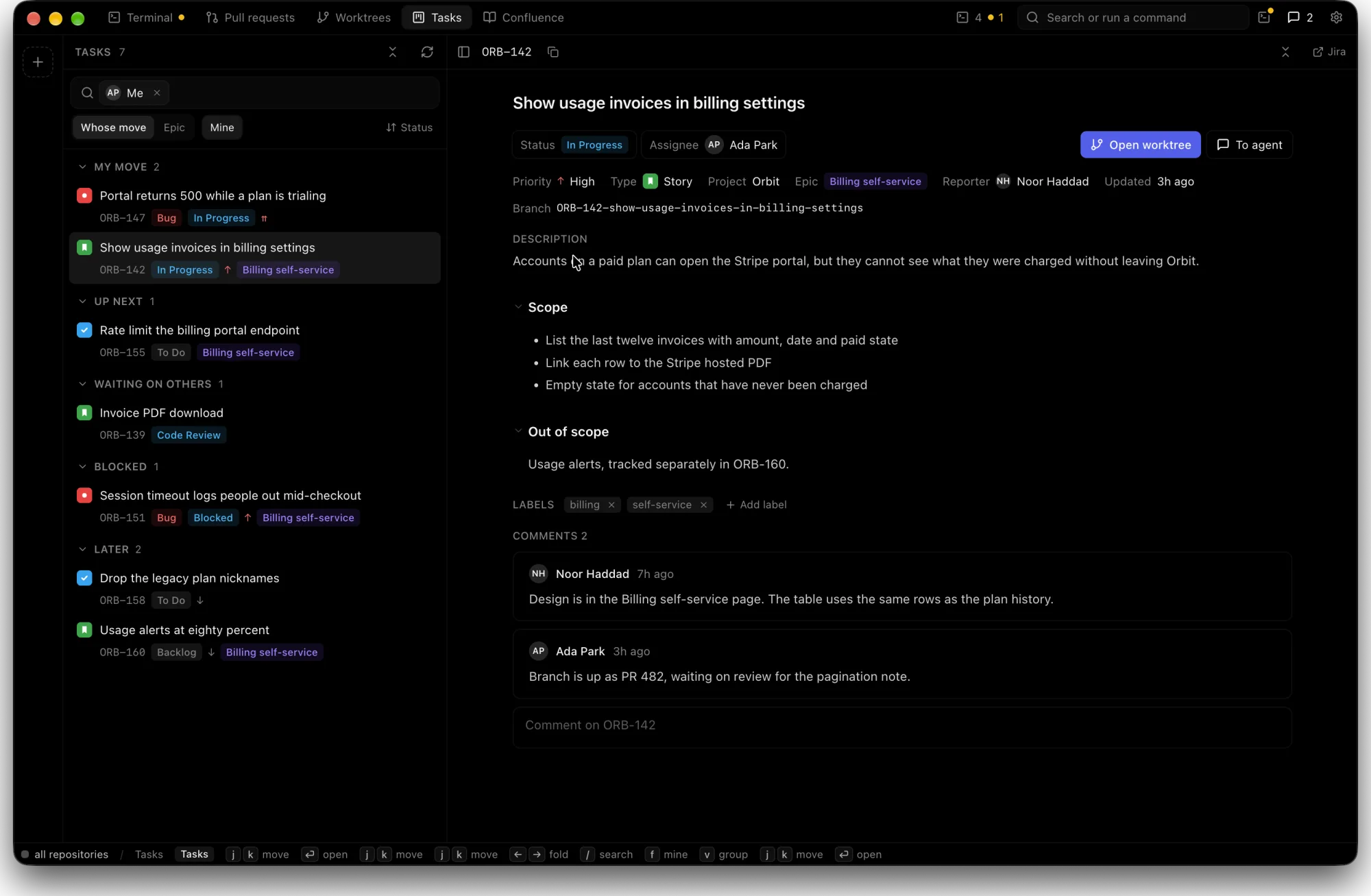
| Read the ticket | Jira in a browser tab | Tasks page, grouped by whose move it is |
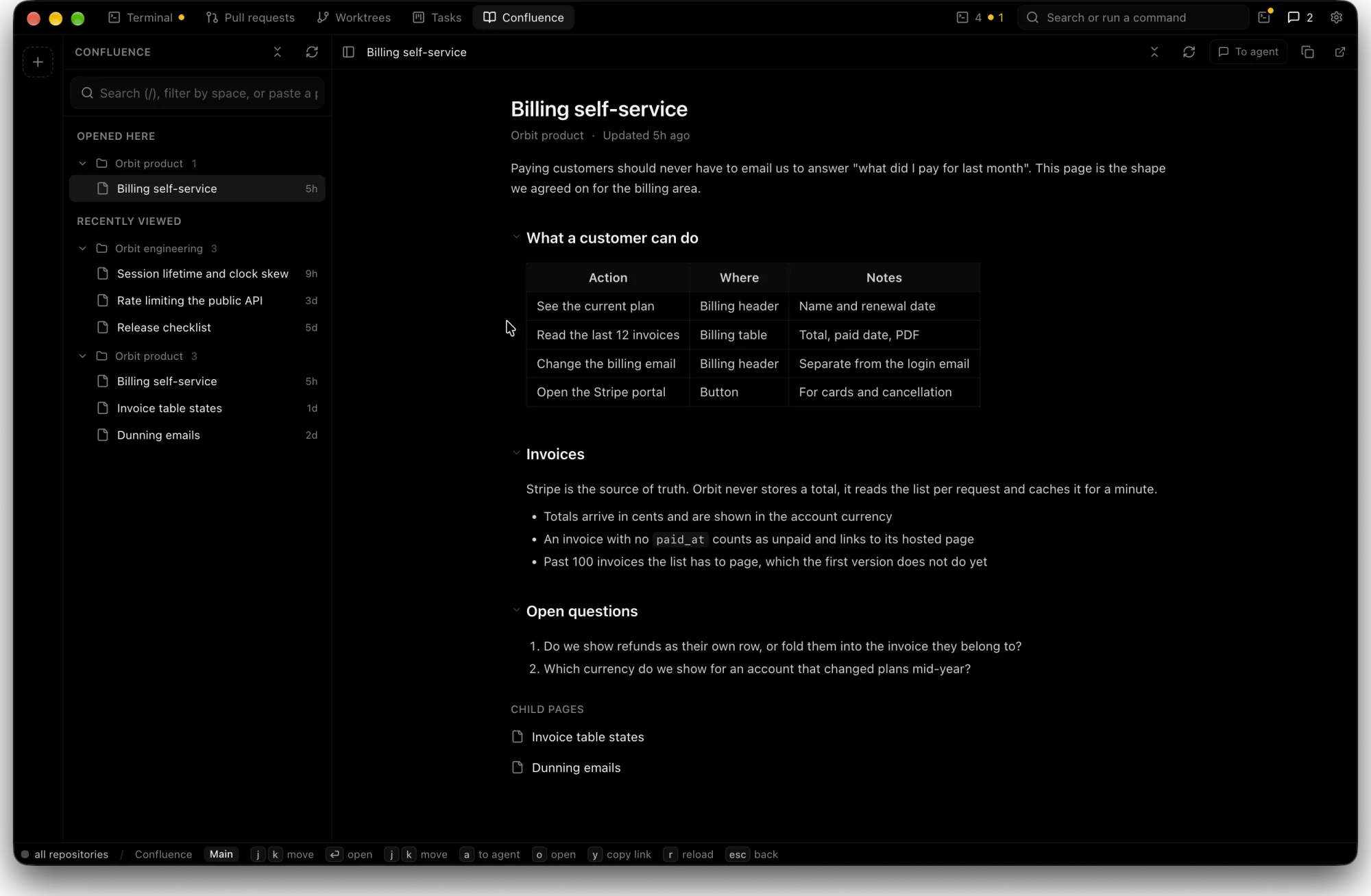
| Find the spec | Search Confluence, keep the tab open all day | The page beside the branch, one keystroke to an agent |
| See what changed | cd into the worktree, git diff, scroll | Every worktree in one sidebar, diff already open |
| Leave feedback | Copy the file and the line numbers into a prompt | Drag across the lines, write the note, send the queue |
| Reviewer's comment | GitHub or GitLab tab, then retype it for the agent | Add to agent comments, one click |
| Closed a session | The conversation is gone, start a new one | History reopens it and the agent resumes |
| Switch agents | git checkout, hope nothing is dirty | Click the group, its worktree is already there |
Everything around the diff, too
- Pull requests
- GitHub and GitLab reviews with inline comments and reactions, through gh and glab.
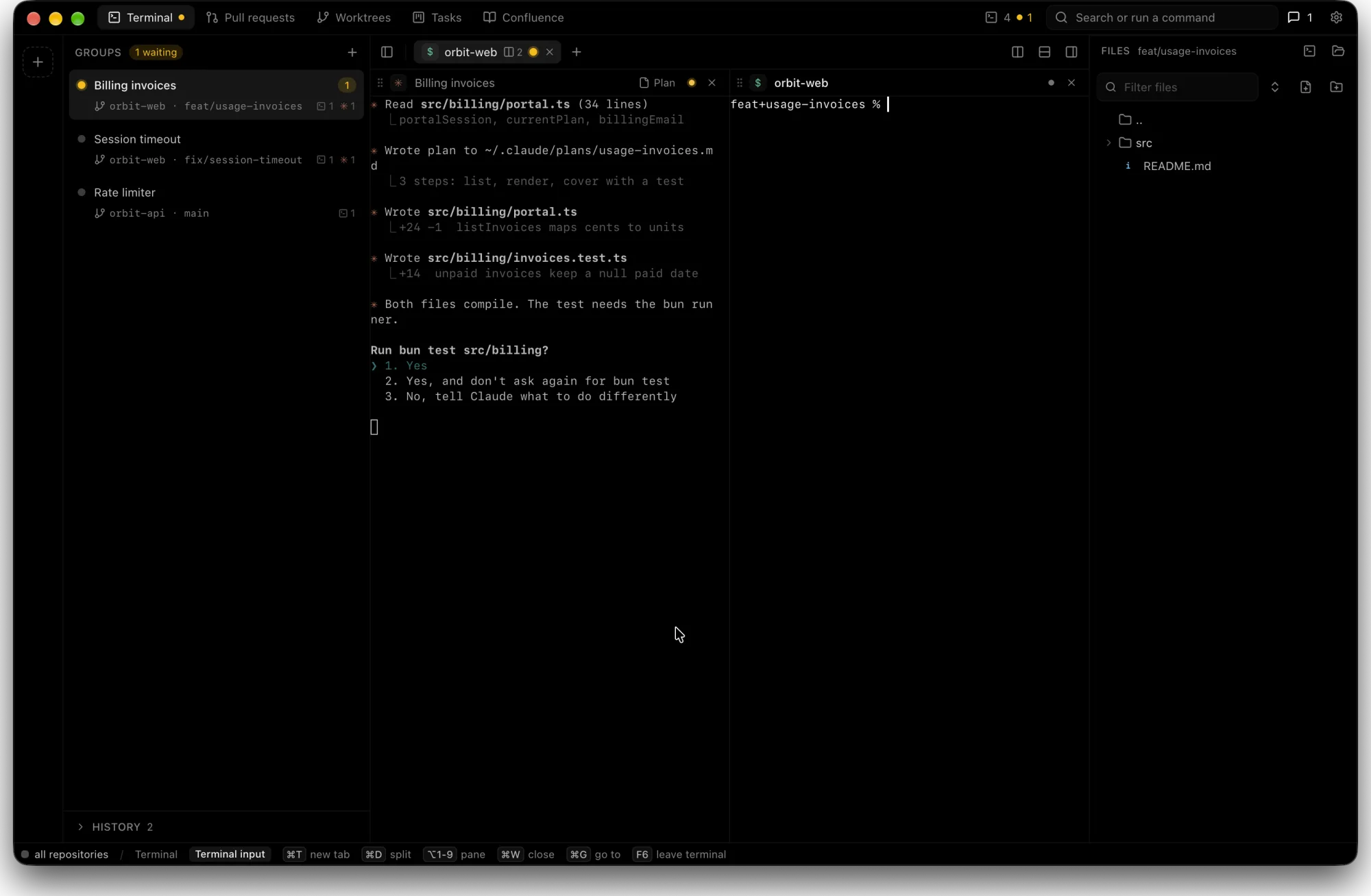
- Agent sessions
- Claude Code and Codex in split terminal panes that show when a session waits for you.
- Usage limits
- Claude and Codex limits in the title bar, so a long run does not stop by surprise.
- Hotkey window
- One global shortcut drops Treeix over whatever you are doing.
- Session history
- Closed sessions stay in History. Reopen one and the agent picks up the same conversation.
- Claude plans
- Plans from ~/.claude/plans open next to the code they describe.
- Edit with history
- Fix a line yourself. Every save keeps a snapshot you can go back to.

Install in a minute
- DownloadGet the .dmg and open it.
- Drag to ApplicationsTreeix goes in with your other apps.
- Open it the first timemacOS may say it cannot check the developer. Open System Settings, Privacy & Security, then click Open Anyway.